EdTech · Education catalog

edupath

Redesign of an education aggregator. Universities, courses, programs — all in one place, with warm typography and readable navigation.

RoleProduct Designer
FieldEdTech
PlatformProgram catalog
Audiences3 scenarios
edupath.io/catalog
EduPath — catalog
1 240
programs
4.8 ★
average rating
3
audiences
SCROLL ↓
01 · Audiences

Three scenarios — one platform

The catalog differs for each audience: different filters, content, path to the goal.

Applicant

Where to enroll?

Rating, programs, reviews, photos — all the data about a university on one screen. The “where to apply” decision in a single session.

home → catalog → university → program
Professional

Where to level up?

Short courses and master’s degrees for a specific stack. Comparison, an accredited diploma, prices — filters built for a professional’s needs.

search → stack filter → comparison
HR

Who to hire?

The program catalog as an indicator: which universities produce relevant candidates, which skills are scarce. Education-market analytics.

blog → ratings → program
02 · Key screens

Program catalog — core scenarios

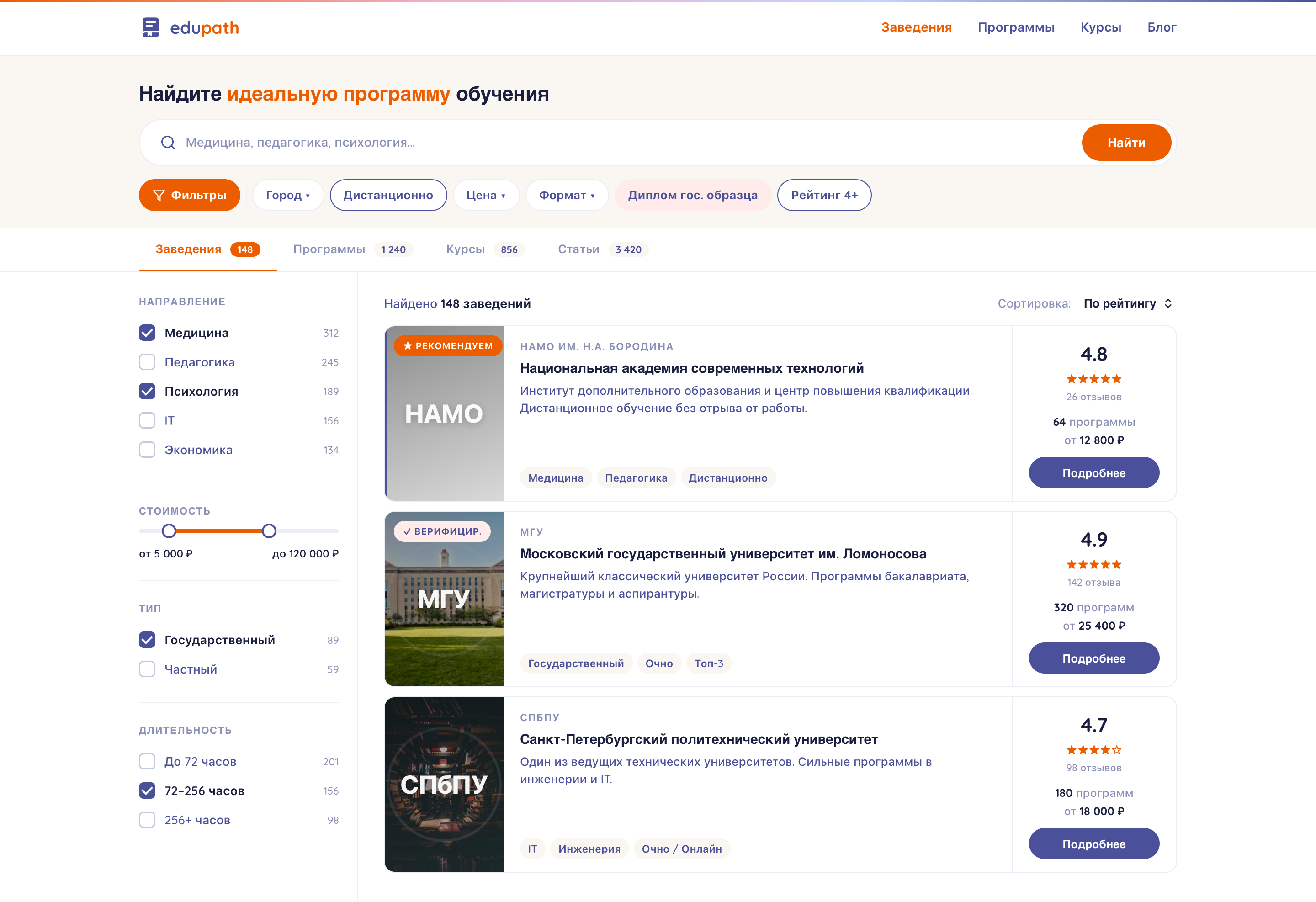
Home — search
01 Search + filters City, price, diploma, rating — filters adapt to the audience
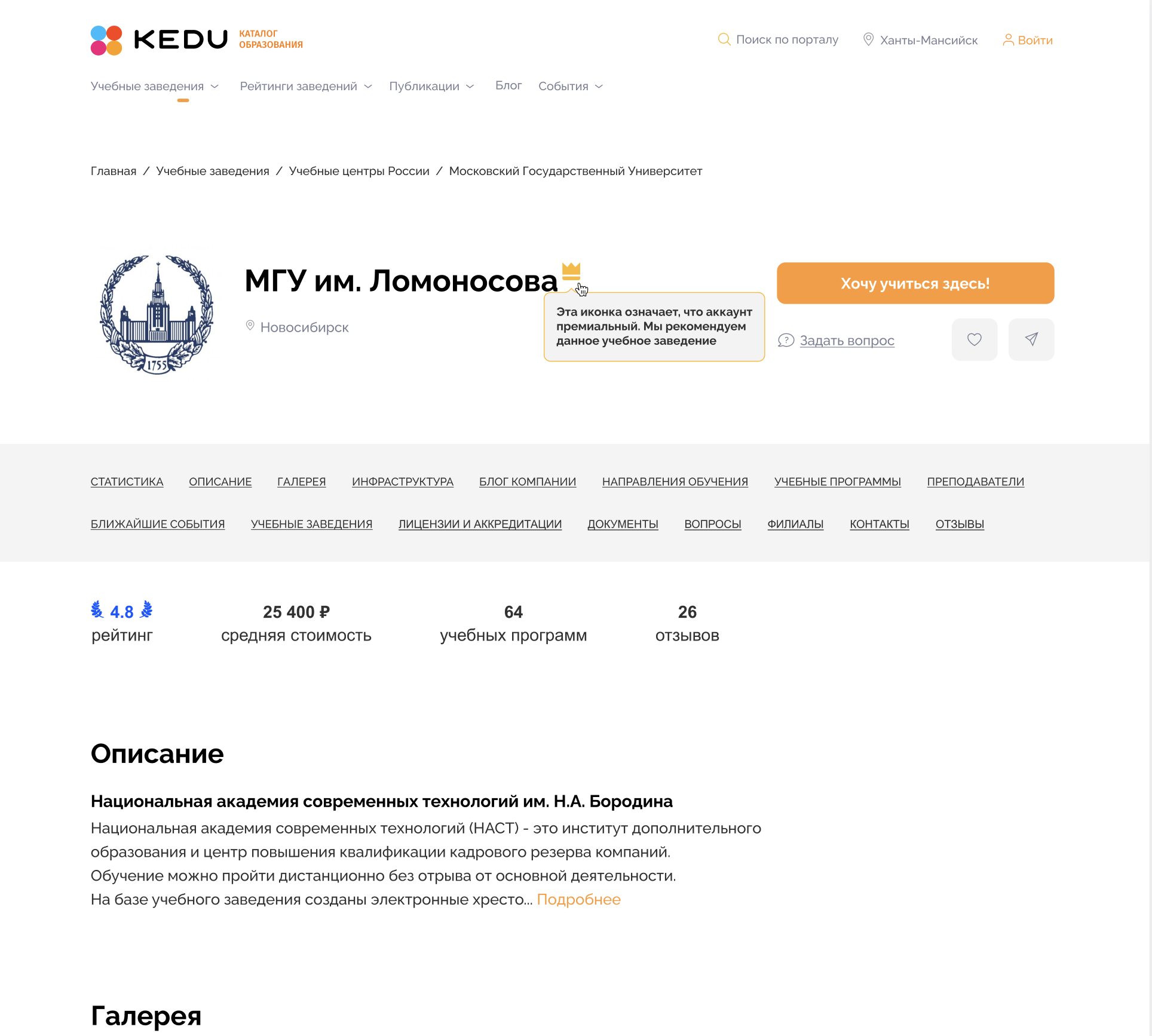
University profile
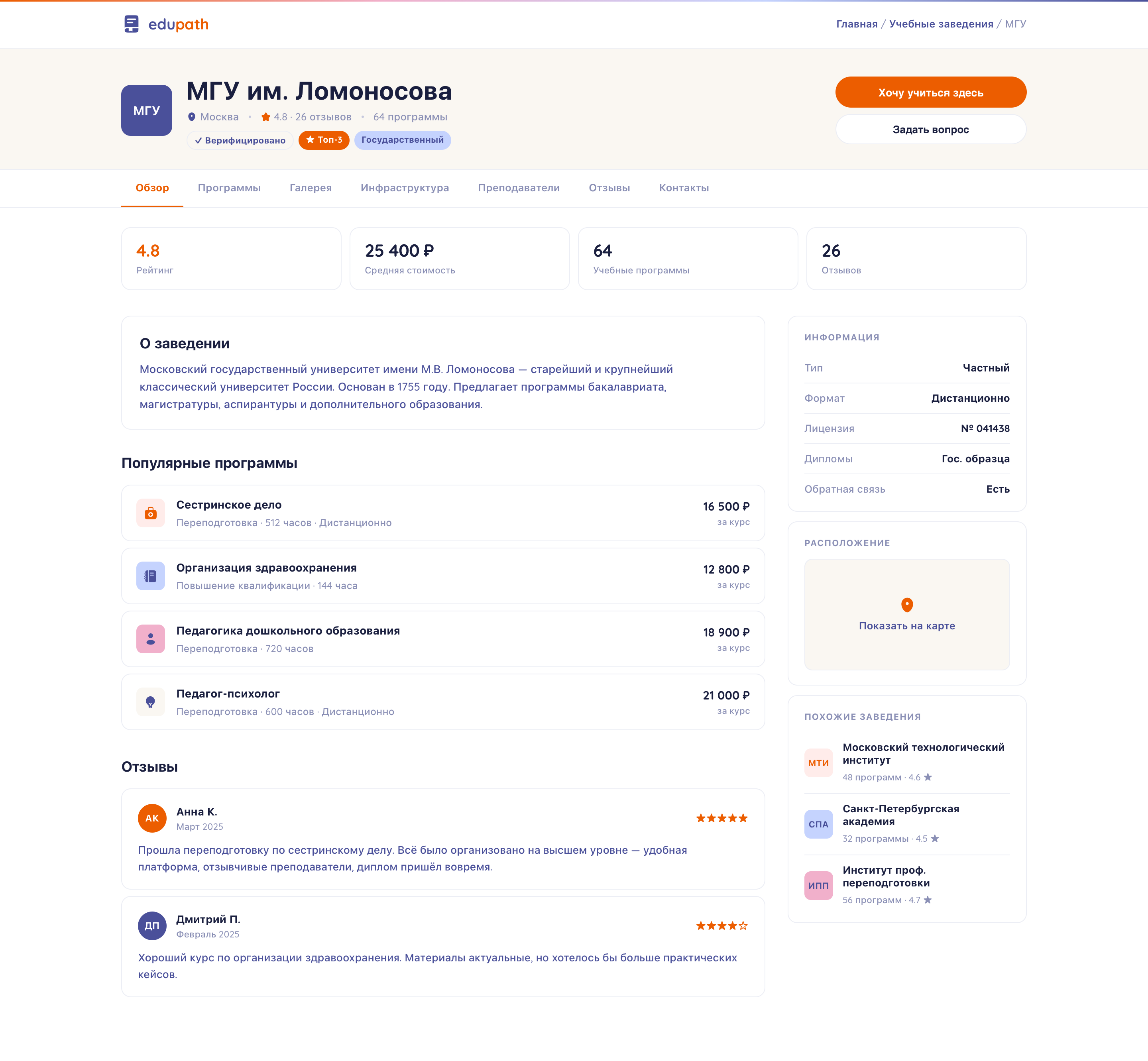
02 University profile Programs, ratings, reviews, photos on one screen
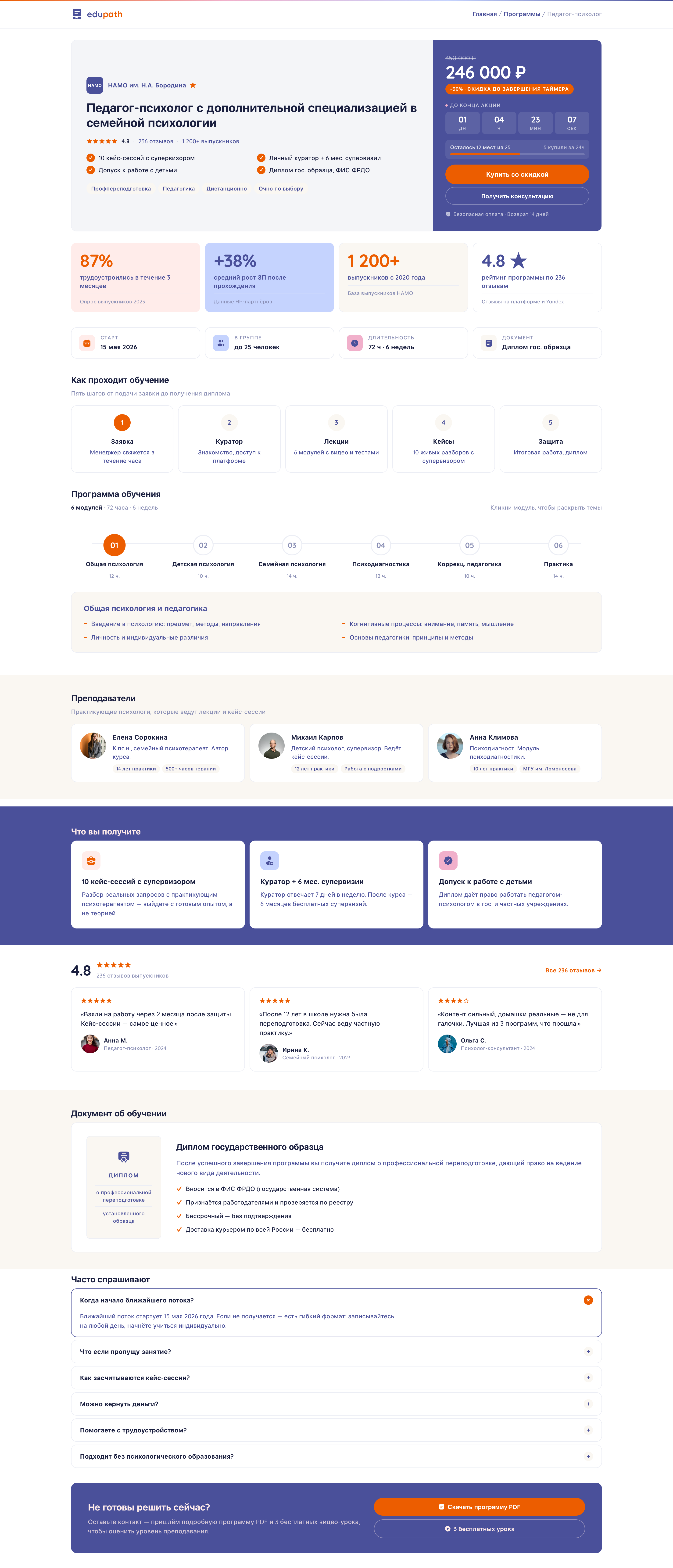
Program page
03 Program page Curriculum, instructors, cost, application
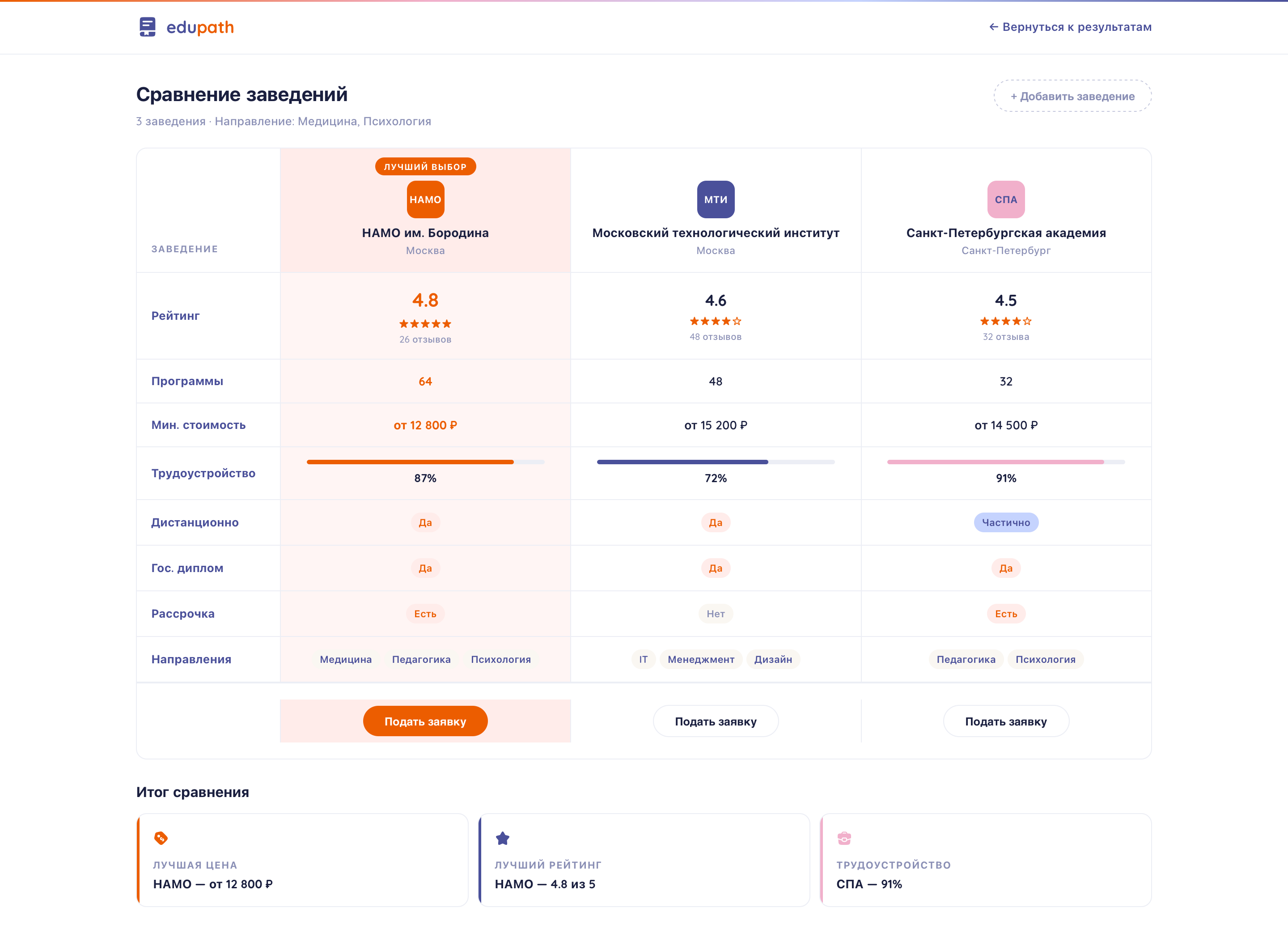
Program comparison
04 Comparison Up to 4 programs side by side across key parameters
Blog
05 Blog · content SEO-driven — every article is linked to relevant programs
03 · Design system

A single visual foundation for the whole product

Warm, readable, recognizable. A serif heading + sans-serif body. A palette tuned to the audiences.

Blue / Primary#4A509A
Orange / Accent#EC5D00
Pink / Soft#F1B0CB
Cream / Surface#FAF7F2
Heading EduPath
Subheading Where to enroll?
Body Rating, programs, reviews — all the data on one screen.
04 · Summary

The outcome

60+ screens
3 audiences
1 DS for everything

A catalog of study programs with different scenarios for three audiences, unified by a shared design system and a single search logic.

01 — A real productCatalog, course cards, university profile, comparison, program — up close
EdTech · Program catalog

EduPath

A catalog of study programs for three audiences — applicants, professionals, HR.

148+ institutions 4.8 ★ 0 SEO loss
Catalog · Search
Search · Filters
Blog · Content
University profile
Program
Comparison
Article · SEO
Program · V2
Results
02 — Three audiences, three scenariosOne product — three different paths from search to decision
01 · APPLICANT

Where to enroll?

Rating, programs, reviews and photos — all the data about a university on one screen. The “where to apply” decision in a single session.

Search → Profile → Comparison → Decision
edupath.io/university/msu
02 · PROFESSIONAL

Growth in your profession

Professional-development courses with a curriculum, diploma and reviews. From finding a course to payment — 5 steps.

Course → Program → Purchase → Start
edupath.io/program/pedagog-psiholog
03 · HR

Course matching

Three institutions side by side with rating, price and an employment metric. A ready report for budget sign-off.

Comparison → Ratings → Report → Sign-off
edupath.io/compare
03 — Before → AfterAn institution profile — the key decision-making page
Before After
Before
After
04 — Design with hands tiedThree constraints that shaped every decision
EDUPATH

A redesign within tight constraints

Can’t rewrite the frontend. Can’t drop SEO. Three audiences — each with its own scenario. Strong solutions are born exactly within constraints like these.

Legacy architecture
SEO-first architecture
3 target audiences
05 — UI SYSTEM

One language
on every screen

Palette, fonts and components — one set of tokens. The catalog, university profile, program and blog all speak one language.

Typography
Playfair Italic
Quicksand 700 / 500 · UI and body
Palette
Deep blue#4A509A
Orange#EC5D00
Light blue#C5D3FE
Pink#F1B0CB
Cream#FFECEA
Components
Search Remote Price ▾ ★ Top 3
4.8★★★★★
06 — Live productAll key screens in real markup — clickable after you scroll
07 — The main principleWhat I took away from this project
Takeaway
08 — One screen, up closeThe search catalog — the entry point for 80% of users

Thousands of programs.
One search.

Faceted filters, chip-tags by level, tabs by content type, ratings and badges on cards — the user finds what they need in seconds.

01 · CATALOG
Smart search
Ready for a new project

Let’s build it together

Message on Telegram →